Revenue treats you as the employer, so you need to know every deduction was paid. We report each pay run to Revenue on or before pay day, pay everything over on time, and show you the proof every month.

Here is what we take from each pay run, who it goes to, and when it is paid.
| Deduction | Paid to | When |
|---|---|---|
| PAYE income tax | Revenue | Reported on every pay run. Paid by the 14th of the following month (the 23rd when paid online through ROS). |
| USC | Revenue | With PAYE, on the same return and payment. |
| Employee PRSI | Revenue | With PAYE, on the same return and payment. |
| Employer PRSI | Revenue | With PAYE. Funded by you as part of the payroll funding. |
| Local Property Tax | Revenue | Only where Revenue tells us to deduct it from a worker's pay. |
| Pension (auto-enrolment) | Pension provider | Employee and employer contributions paid over every month, where your workers are enrolled. |
| VAT on our invoices | Revenue | Charged where it applies, and returned and paid every two months. |
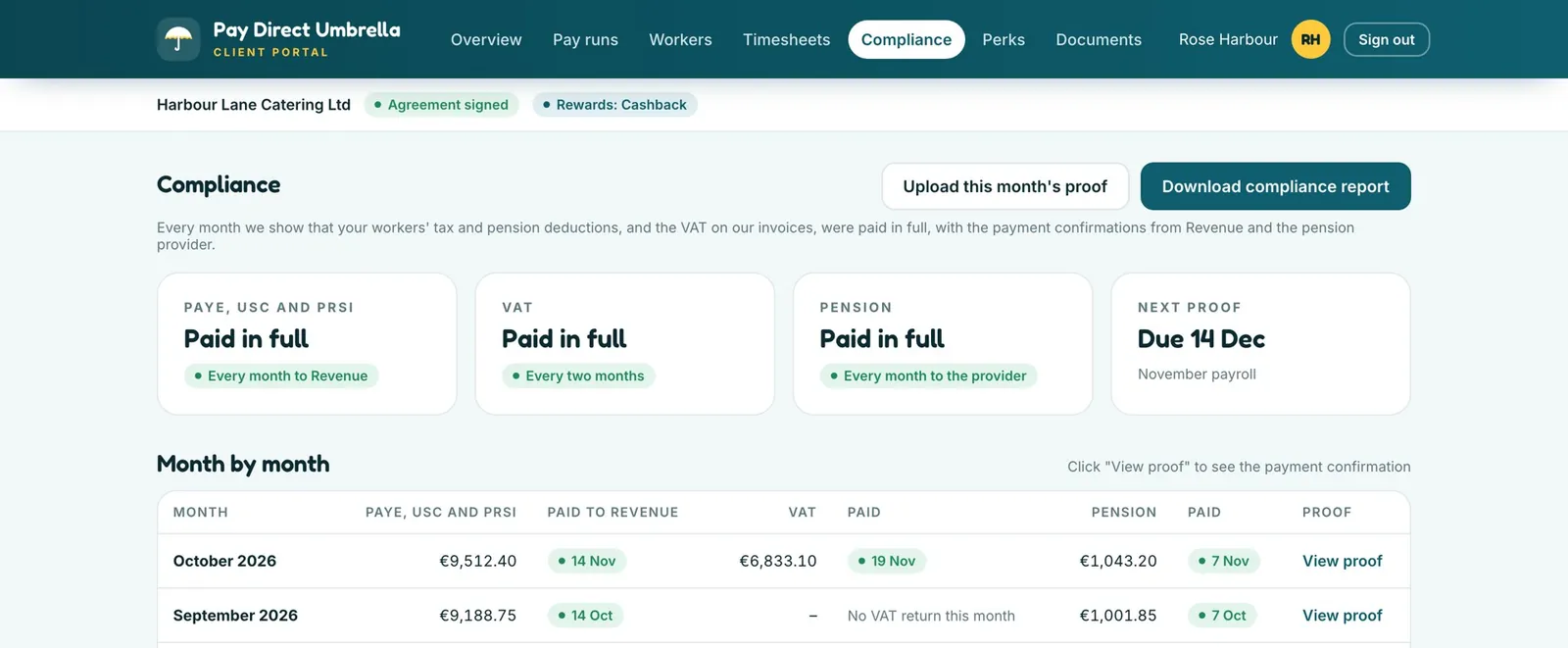
Our demo client portal, with sample data.
The Compliance tab in your portal shows what was deducted, what was paid and the date it reached Revenue and the pension provider.
What was deducted, what was paid and the date it reached Revenue.
The payment confirmation from Revenue and the pension provider.
A compliance report for your accountant, auditor or end client.
You stay the employer and set the pay rates and hours. We run the payroll and pay your workers, Revenue and the pension provider for you.
We employ you through our umbrella and run your payroll, with PAYE, USC and PRSI worked out and paid for you, and a payslip every pay day.
The terms you will see on payslips, Revenue letters and in your portal.
General information, not tax or legal advice. Rates and thresholds change, usually in the Budget. Revenue and Citizens Information publish the current figures.
Every deduction paid on time, and the proof in your portal every month.
Prefer to do it yourself? Sign up online or read how to sign up.

